
Most "best iPhone apps" lists aren’t really about the iPhone
Search "best iPhone apps" or "must-have iPhone apps," and most results are cross-platform apps that happen to also ship on iOS — same screens, same logic, nearly identical on Android. Nothing wrong with that, but strictly speaking, those apps don’t have much to do with the iPhone as a platform.
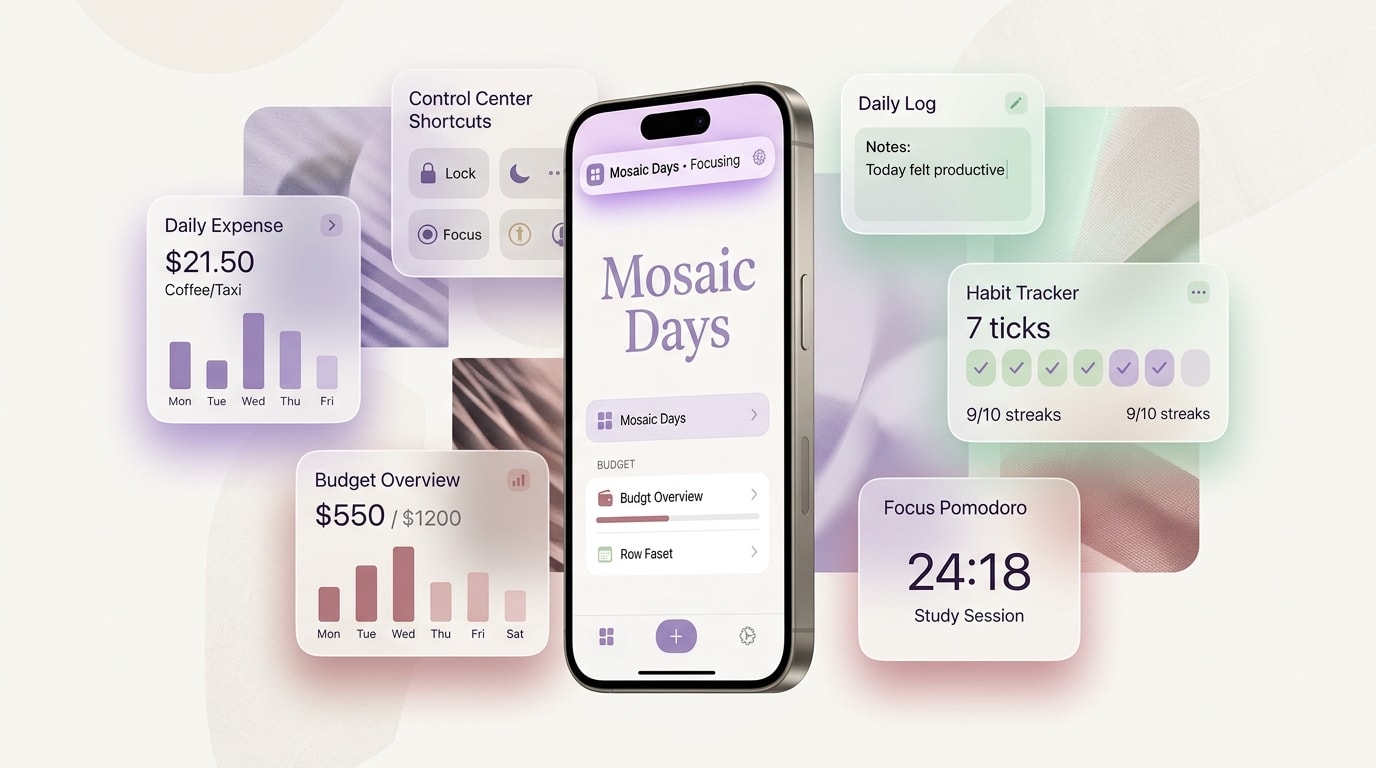
A genuine "iPhone app" is one that actually uses iOS-specific system integration — home screen widgets, Control Center, Dynamic Island, Siri — things that don’t exist on Android, or work completely differently there. Mosaic Days is iOS-only, and has built out this kind of integration over time. Here are 6 features that exist right now and are ready to use.
1. Home screen widgets: today’s spending and to-dos without opening the app
Long-press the home screen, tap "Edit," and add:
Expense widget — small size shows today’s spending, medium size adds remaining monthly budget; a lock screen widget (circular or rectangular) shows budget progress at a glance.
To-do widget family — today, this week, calendar month, and matrix view each have their own widget. Want to track today and this month at once? Add two different sizes to the home screen instead of switching tabs inside the app.
2. Control Center controls: log an expense by voice without unlocking
iOS lets third-party apps add controls to Control Center, and Mosaic Days added three: log an expense by voice, add a to-do by voice, and add a to-do by text. You don’t even need to unlock the phone — swipe down from the top-right corner, tap the control, say the amount and item, and the expense is logged.
Particularly useful right after checkout, at a red light on a scooter, or any moment your hands are full and typing isn’t an option.
3. Dynamic Island / Live Activity: watch the Pomodoro countdown without opening the app
Once a Pomodoro timer starts, the Dynamic Island (or the lock screen on devices without one) shows the countdown and current phase (focus / break) directly — the countdown is rendered natively by iOS, so it keeps ticking without the app needing to update it in the background. The to-do matrix view has a matching Live Activity too, viewable from the lock screen without unlocking.
4. Siri Shortcuts: "Hey Siri, tell Mosaic Days..."
Open the Shortcuts app or just talk to Siri directly:
"Hey Siri, tell Mosaic Days to add a to-do" — say what it is, optionally when it’s due, and Siri writes it straight into the app, no unlocking or typing required.
"Hey Siri, tell Mosaic Days to log an expense" — say the amount and what it was for, done.
Both use iOS 17’s App Intents framework, which is conversational — if you leave out a detail like the time or amount, Siri asks a follow-up instead of just failing on a rigid fixed command.
5. Share Extension: share from Safari or Instagram straight into a trip plan
See a place you want to visit on Instagram, or a spot mentioned in a Safari article? Tap Share, pick Mosaic Days from the sheet, and choose which trip plan to import it into — or save it to Saved Places. No copying a URL, switching apps, and pasting.
[Suggested image: Instagram share sheet with Mosaic Days as an option]
6. Custom keyboard: the quick-reply keyboard
Mosaic Days also has a genuine iOS keyboard extension — grouped saved replies you can pull up from any app via the globe key and copy with one tap. Full walkthrough here: the canned messages keyboard guide.
Why this kind of integration is harder to build — and harder to copy
Adding a normal feature usually just means adding a screen inside the app. Widgets, Control Center controls, Live Activities, and Siri Intents are each their own native target, need an App Group container to sync data outside the main app, and require working directly with Apple’s WidgetKit, ActivityKit, and AppIntents frameworks — something a web-wrapper or cross-platform-only app generally can’t reach.
That’s also the difference from the all-in-one-app cost breakdown we wrote about — that piece was about breadth (how much one app replaces), while this one is about depth on a single platform: how far you can go when you actually build for iOS specifically.
Before you download the next "best iPhone app"
"Best iPhone apps" is worth asking more precisely: beyond running on an iPhone, does this app actually use anything iPhone-specific? Home screen widgets, Control Center, Dynamic Island, Siri, Share Sheet — Mosaic Days has all six, unlockable free with one ad a day.
Download Mosaic Days on the App Store and add these to your home screen and Control Center.
FAQ
Do the widgets and Siri Shortcuts cost extra? No — they share the same unlock system as the rest of the app: free with one ad a day, or fully ad-free with an annual or lifetime plan. Widgets and Siri features are included either way.
Do Live Activities work on older iPhones without a Dynamic Island? Yes — devices without a Dynamic Island show the same live information on the lock screen instead, just without the floating pill shape.
How is this different from a regular Shortcuts automation? This uses iOS 17’s App Intents framework, which supports back-and-forth conversation — if you leave out a detail like the time or amount, Siri asks a follow-up instead of only being able to trigger one fixed, rigid command.